We’ve all been there – standing by a window, waving our phones around like divining rods, desperately searching for a signal. Whether you’re in the middle of a call or trying to load a map that refuses to appear, poor reception is enough to test anyone’s patience. But there’s a surprisingly simple trick that can instantly make things better, and it’s hiding in plain sight on your screen.
The secret power of airplane mode
You know that little airplane icon on your phone – the one you only touch before take-off? It turns out airplane mode isn’t just for flights. In fact, it can be your best friend when your signal suddenly drops or your apps start crawling.
Here’s the science bit: every time you activate airplane mode, your phone cuts off all wireless connections – mobile, Wi-Fi, Bluetooth and data. When you turn it back off, your device is forced to reset its network connections and search again for the strongest available signal. In doing so, it often switches to a closer, less congested cell tower, giving you better bars and faster loading times.
Why your phone sometimes gets “stuck”
In theory, smartphones are designed to hop seamlessly from one cell tower to another as you move around. But in practice, they can get a bit lazy. Sometimes your phone stays connected to a distant tower, even when a much nearer one would offer better service. That’s why you might notice a weak signal in one spot, only for it to miraculously improve when you toggle airplane mode.
According to the UK communications regulator Ofcom, mobile signal strength can fluctuate dramatically depending on tower congestion, building materials, and even the weather. Resetting the connection effectively gives your phone a fresh start – a bit like turning it off and on again, but without the wait.
How to do it in seconds
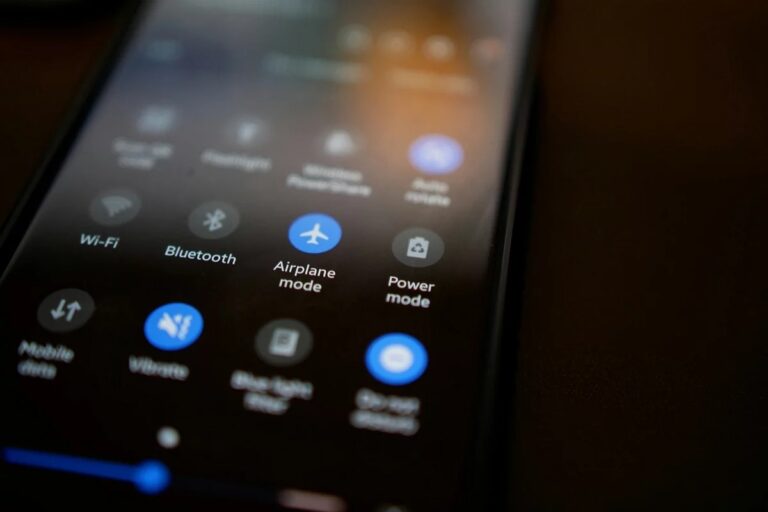
No tech wizardry required. Simply swipe down from the top of your screen and tap the airplane symbol. Wait five to ten seconds – just long enough for your phone to fully disconnect – then tap it again to restore your connection.
On an iPhone, this can be done from the Control Centre; on Android, it’s in the Quick Settings panel. Within moments, your phone will rejoin the network, often with stronger reception and better data speeds.
This quick fix works wonders when you’re travelling, driving through patchy areas, or stuck in a crowded city where thousands of phones are competing for bandwidth. And if your iPhone ever switches to ‘SOS Only’ or your Android refuses to reconnect, this small manual reset can save you from restarting the entire device.
What it won’t do
Let’s be realistic – this isn’t magic. If you’re in the middle of nowhere with no signal towers nearby, your phone can’t summon one out of thin air. But in places with intermittent coverage, such as suburban neighbourhoods or busy transport hubs, this little trick can make a world of difference.
In a sense, it’s a reminder of how much our daily lives depend on invisible connections. So next time your phone falters mid-call or your music stream starts buffering, don’t panic – just flick that airplane switch. Sometimes, the fastest route to a better signal really is just one tap away.